

Guide to Downloading and Using Trading Apps in Pakistan
📱Discover how to download and use trading apps in Pakistan safely. Get tips on app selection, installation, security, and smooth trading experience.
Edited By
Amelia Price
For traders and investors in Pakistan seeking efficient platforms, cTrader offers a solid choice for online trading across forex, commodities, and indices. Known for its user-friendly interface and advanced charting tools, cTrader helps users make timely decisions based on live market data.
Before jumping into cTrader itself, you’ll want to confirm your device meets the system requirements. The platform runs on Windows, Mac OS, web browsers, and mobile apps for both Android and iOS, so whether you trade from a desktop in Karachi or on a mobile while commuting in Lahore, cTrader has you covered.
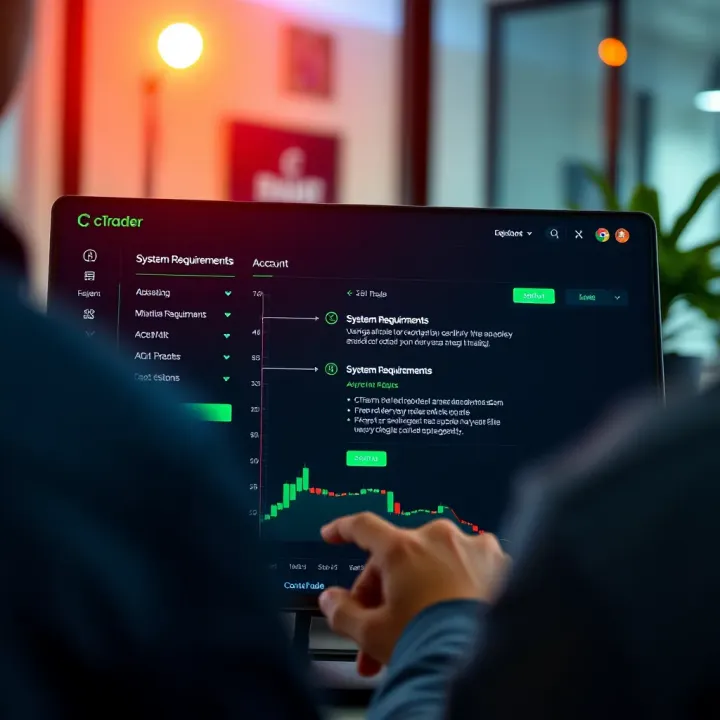
Downloading and setting up cTrader is straightforward. After you select the right version for your device, installation typically takes just a few minutes. That said, ensure you download it from a reputable source recommended by your broker or the official cTrader site. This helps avoid security risks and ensures you get the latest updates.
Setting up your account requires linking it with a broker that supports cTrader in Pakistan. Pakistani traders often prefer brokers regulated by the Securities and Exchange Commission of Pakistan (SECP) or those adhering to international standards. You’ll need your CNIC and possibly additional verification documents, reflecting local compliance norms.
Once your account is set, cTrader’s features come into play:
Advanced charting: Multiple chart types and over 70 indicators to study price trends.
Automated trading: Ability to run cBots (automated trading robots) created via cTrader’s development environment.
Level II pricing: Gives more transparent data on market depth.
One-click trading: Place, modify, or close orders swiftly with minimal clicks.
Understanding these features early will enhance your trading experience and help avoid costly mistakes. Keep in mind the importance of reliable internet and backup power, especially with Pakistan’s loadshedding issues, to prevent disruptions during active trades.
In short, cTrader is a capable platform for Pakistani traders once the basic setup and compliance checks are handled correctly. The next sections will guide you step-by-step on downloading, installing, and effectively using cTrader in Pakistan’s trading environment.
For traders in Pakistan, getting a clear grasp of cTrader and its benefits is key before investing time and effort in using it. cTrader is a popular trading platform known for its advanced features and ease of use, making it a strong choice for retail traders, investors, and brokers alike.
cTrader is a forex and CFD (contract for difference) trading platform developed by Spotware. It offers access to various financial markets, enabling traders to buy and sell currencies, commodities, indices, and more. Compared to other platforms, cTrader stands out for its transparency in pricing and execution, which is especially important in markets like Pakistan where access to reliable platforms is critical for success.
User-friendly Interface
cTrader’s interface is clean and intuitive. The layout is designed to reduce clutter, focusing on essential information like prices, charts, and order books. This means traders can execute trades quickly without being overwhelmed. For example, a novice trader is able to place complex orders such as limit or stop-loss orders easily, which can improve trading confidence and reduce costly mistakes.
Advanced Charting Tools
The platform offers a wide range of chart types and technical indicators, useful for analysing market trends. These tools help traders make informed decisions by visually spotting price patterns and momentum shifts. For instance, a trader tracking the PKR/USD pair can use cTrader's multiple timeframe charts and built-in Fibonacci retracements to plan better entry and exit points.
Automated Trading Support
cTrader supports automated trading through its cAlgo feature, which allows traders to develop and run trading robots (bots) and custom indicators. This works well for those who want to automate repetitive tasks or strategies based on technical signals. For example, a trader in Karachi might set a bot to automatically execute trades when a certain moving average crossover occurs, avoiding the need for constant manual monitoring.
Connectivity and Execution Speed
In forex and CFD trading, swift order execution can mean the difference between profit and loss. cTrader connects directly to liquidity providers with minimal delay, offering rapid trade execution and low slippage. This is particularly beneficial for day traders in Pakistan, where internet speeds can be variable but a fast platform helps maintain competitive trading conditions.
Understanding these aspects of cTrader helps traders in Pakistan maximise their trading potential by choosing the platform's features that fit their style and requirements.
Overall, cTrader combines user-oriented design with professional-level tools, making it a solid platform for both beginners and experienced traders in Pakistan.
Getting ready before downloading cTrader can save you a lot of hassle. Making sure your device, internet, and software choices match the platform’s needs will keep your trading smooth and efficient. This section outlines the critical points to check so you can avoid interruptions and fully benefit from cTrader’s features.
cTrader supports major operating systems like Windows and MacOS for desktops, along with iOS and Android for mobile devices. This cross-platform availability lets traders use cTrader whether they’re at home or on the move. Knowing if your device runs a supported OS prevents unexpected crashes or compatibility issues. For example, if your laptop runs Windows 7 but cTrader needs Windows 10 or above, it’s better to update your OS or consider another device.
While cTrader is not extremely demanding, having a device with at least 4GB of RAM and a modern processor will improve performance, especially when running multiple charts or automated trading bots. A trader using an older laptop with just 2GB RAM may experience lag, which could affect real-time decision-making. So, checking your device's specifications upfront helps ensure a stable trading experience.
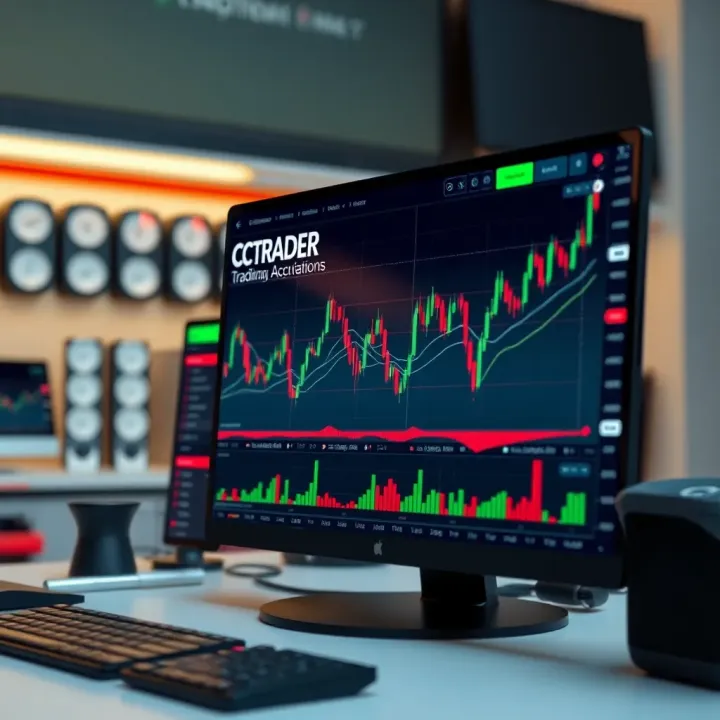
Stable internet matters most when live market data and swift order execution are involved. A broadband connection with speeds of at least 5 Mbps is usually enough for cTrader. However, if you trade frequently during volatile market hours or use automated trading, a faster, stable connection avoids delays and potential losses. Traders in Pakistani cities with frequent loadshedding should plan backup solutions such as mobile data or UPS to keep trading uninterrupted.
The desktop version of cTrader works well for serious traders who want detailed analysis and fast execution on a larger screen. It offers full access to advanced charting and automated trading features. If you work from an office or home setup, this version gives you all tools in one place.
cTrader’s mobile app suits traders always on the go. Available for iOS and Android, it lets you monitor markets, place trades, and manage your account anytime. For example, a Karachi-based trader can check positions during office breaks or travel without losing control. Mobile apps usually consume less system resources, but require a good internet connection.
The web version works directly through a browser without installation. This option suits traders using different devices or public machines where installing software isn’t possible. Just log in securely, and you have instant access. However, keep in mind that web platforms may have slight delays compared to desktop apps, so for high-frequency trading, desktop or mobile might be preferred.
Being clear on these preparation steps helps you pick the right setup from the start, saving time and keeping your trades efficient in the fast-moving markets of Pakistan.
Downloading and installing cTrader correctly is essential for Pakistani traders seeking a reliable and efficient trading platform. With its robust features tailored for forex and CFD trading, installing cTrader carefully ensures you avoid technical glitches and keep your trading environment secure. This step-by-step guide highlights practical steps and key points to help you get cTrader up and running on your preferred device.
Always download cTrader directly from the official website or authorised broker portals. Official sources provide the latest version, guaranteed free from malware and tailored to comply with local regulations like PTA (Pakistan Telecommunication Authority) policies. For example, if your broker offers cTrader, it is safer to download via their platform rather than random websites. Check the URL carefully — secure sites start with "https://" and show a padlock symbol in the browser address bar, confirming encryption.
Downloading from unknown sites can lead to outdated versions or software bundles containing unwanted programs. That puts your trading data and personal information at risk, especially when using Pakistani networks prone to cyber threats.
Third-party download sites may offer cTrader, but they often include extra software or adware, which can affect your PC’s performance or steal confidential information. Besides, unofficial versions might lack recent updates, causing compatibility issues or missing critical security patches.
To protect your device, avoid torrent sites or software repositories that are not recognised brokers or the official Spotware (cTrader’s developer) website. Stick to trusted sources — even if it means taking extra steps to confirm authenticity.
Downloading the Windows setup file is straightforward. After saving the .exe file, run it and follow on-screen instructions to complete installation. Make sure you have administrative rights on your PC, as Windows prompts for this during installation.
A proper installation ensures smooth software performance, essential when managing high-frequency trading or multiple open positions, common among Pakistani forex investors. Post-installation, launch cTrader and update if prompted to guarantee access to the latest tools.
Though cTrader does not have a native macOS version, Mac users can access it via the web platform or use virtualization tools like Parallels Desktop to run Windows apps. Alternatively, mobile app use can fill this gap.
Understanding this limitation helps Mac-based traders plan their setups better. Web access provides convenience but might be slightly slower compared to desktop apps. Still, it supports all major features without extra installation overhead.
For iOS and Android devices popular in Pakistan, cTrader is available as a mobile app downloadable from the Apple App Store or Google Play Store. Installing through these official stores ensures app integrity and automatic updates.
Mobile cTrader offers full trading functionality on the go — vital for traders facing loadshedding or frequently moving. It supports live quotes, order placing, and nifty charting tools in a compact form. After installation, signing in using your registered account syncs your preferences seamlessly.
Always verify you are downloading the genuine cTrader from official app stores or broker websites to safeguard your trading experience from security threats.
This practical approach to downloading and installing cTrader empowers Pakistani traders with a safe, stable foundation for their trading activities across devices.
Setting up a cTrader account is a critical step for anyone serious about trading in Pakistan. It connects you directly to the platform’s trading environment, allowing you to place orders, monitor market movements, and manage your investments efficiently. Without a properly configured account, you won’t be able to access the platform’s advanced features nor comply with local trading regulations.
Registration steps involve providing basic personal information, such as your full name, email address, and phone number, followed by selecting the type of account you wish to open—demo or live. The live account requires more detail, including your residential address and preferred currency. Examples include selecting PKR or USD depending on your trading strategy and broker offerings. Typically, brokers linked with cTrader provide a straightforward registration portal compatible with Pakistani CNIC verification processes.
Verification requirements specific to Pakistan include submitting a copy of your Computerised National Identity Card (CNIC) along with proof of address, such as a recent utility bill or bank statement. This verification is mandatory under Pakistan's financial regulations to combat money laundering and fraud. Some brokers may also request a selfie or video call to confirm your identity. Completing these steps promptly ensures your account gets fully approved, enabling unhindered access to deposits, withdrawals, and trading.
Account login is the first experience you encounter on cTrader. Using your registered email and password, you access the platform's main dashboard. Enabling two-factor authentication (2FA) is highly recommended to add a layer of security, especially important given the increasing cyber threats targeting Pakistani traders.
Customising the interface allows you to tailor the platform to your trading style. For example, you can adjust chart layouts, change colour themes to reduce eye strain during long sessions, or add frequently used technical indicators like moving averages or RSI. Pakistani traders often prefer this flexibility because it helps them quickly interpret the market amidst high volatility.
Setting trading preferences is about fine-tuning order execution parameters such as default lot size, stop-loss and take-profit levels, and preferred currency pairs. This customisation saves valuable time when placing trades and reduces the chance of errors, especially in fast-moving markets like the Pakistan Stock Exchange (PSX) or forex pairs involving USD/PKR.
Taking a systematic approach to account setup not only speeds up your entry into the market but also helps maintain security and efficiency. Considering Pakistan's specific verification and trading environment makes this process smoother and more compliant.
By managing these steps attentively, you ensure your cTrader experience is both safe and productive right from the start.
Mastering cTrader's features lets you trade with greater confidence and efficiency. For Pakistani traders juggling volatile markets and internet fluctuations, using the platform effectively can mean quicker decisions and better results.
Placing and managing orders is central to trading success. cTrader offers a straightforward way to place market, limit, stop-loss, and take-profit orders. For example, if you spot a sudden drop in the PSX index, you can quickly place a limit order to buy shares at your preferred price. Managing these orders is also handy — you can drag stop-loss lines on charts directly to adjust risk without digging through menus. This saves valuable seconds when moves happen fast.
Using charts and indicators gives you a clear edge. cTrader supports multiple chart types like candlestick, bar, and line charts, which suit different trading styles. Indicators such as moving averages, RSI, and Bollinger Bands can help spot trends and entry points. For instance, a trader monitoring the PKR/USD forex pair might set a moving average to identify when the currency is getting stronger or weaker, giving better timing for trades.
Automating trades with bots takes advantage of cTrader's support for algorithmic trading through cAlgo. Pakistani traders who are busy during market hours can program or buy trading bots that execute trades based on preset rules, like entering a trade if a stock price crosses a certain threshold. This reduces human emotion and lets the software act swiftly on opportunities, useful especially for forex pair fluctuations happening outside office hours.
Protecting your account is essential, especially given increasing cyber threats. Always use strong, unique passwords and enable two-factor authentication (2FA) in cTrader. This adds an extra layer of security beyond your password by requiring a code sent to your mobile. Also, avoid saving passwords on shared or public devices to reduce risk.
Accessing customer support matters when you face platform or trade issues. Reliable brokers who support cTrader typically offer 24/7 support via chat, email, or phone. In Pakistan, working with brokers that provide Urdu-speaking agents can help resolve problems quickly and clearly. Keep contact details handy and record support interactions to follow up if issues persist.
Effective use of cTrader's tools combined with strong security and responsive support can improve your trading confidence and safeguard investments.
By getting comfortable with order management, chart analysis, automation, and account safety, Pakistani traders can navigate local and international markets with clarity and control.
📱Discover how to download and use trading apps in Pakistan safely. Get tips on app selection, installation, security, and smooth trading experience.

Find the top trading websites in Pakistan! Explore user-friendly platforms, fees, security 🔐, and support to trade safely and confidently today. 📈

📈 Explore the best trading apps for users in Pakistan! Compare features, fees, security, and customer support to pick the right platform for you.
Find the top trading platforms in Pakistan 🏦! Compare features, costs, security, and local access to pick the best fit for your trading style and goals 📈.
Based on 9 reviews